











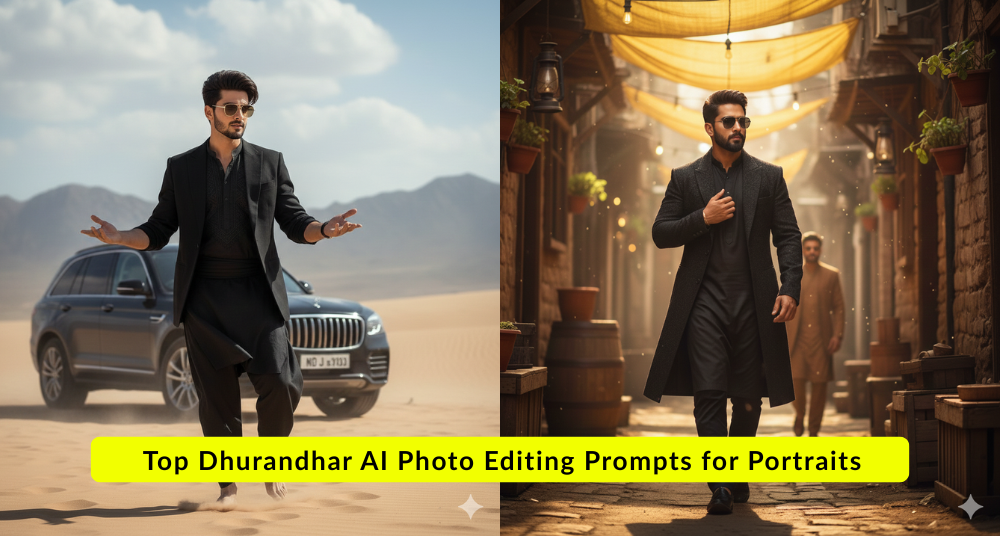



In 2025, the Dhurandhar AI portrait trend has taken the AI editing community by storm. Ultra-realistic, character-driven portraits that feel hyper-detailed, cinematic, and strikingly lifelike have become the gold standard for social media profiles, posters, artistic DP shots, and viral content feeds. At the heart of this trend is Google Gemini’s AI photo editing capabilities — especially when paired with carefully crafted prompts known as Dhurandhar AI Photo Editing Prompts. These prompts help transform ordinary selfies into powerful Dhurandhar-style portrait art through Google Gemini advanced text-to-image generation engine.
What sets Dhurandhar AI Photo Editing Prompts apart?
- Use of rich, descriptive language to guide the AI toward ultra-realistic facial detail.
- Emphasis on dramatic lighting, Indian skin tones, and texture depth.
- Inclusion of character elements, cultural backdrops, and stylistic cues.
- Designed to produce high-impact visuals that look like painted or cinematic art with lifelike realism.
Below you’ll find copy-and-paste Google Gemini Dhurandhar AI Photo Editing Prompts for 2025 — each optimized for ultra-realistic portrait generation.
How to Use These Dhurandhar AI Prompts in Google Gemini?
Before we dive into the prompts, here’s a step-by-step guide to ensure you get the best results:
- Open Google Gemini: Launch the app or visit the web platform and sign in with your Google account.
- Go to Image Generation or Photo Editing: Choose either to edit an uploaded photo or to generate a new image from text alone.
- Upload Your Reference Photo: If you’re editing a selfie, upload a clear, well-lit front-facing photo.
- Paste the Prompt: Use one of the Dhurandhar AI Photo Editing Prompts below — you can tweak minor details if needed.
- Add Key Details: Always include terms like “ultra-realistic,” “high detail,” “cinematic lighting,” and “Dhurandhar-style portrait.”
- Generate and Refine: Click generate, review results, and adjust prompt for mood, lighting, or background.
- Download & Use: Save your finished portrait in high resolution — ideal for DP, reels, posters, magazine style art, and feeds.
Must-Try Ultra-Realistic Dhurandhar AI Photo Editing Prompts
Prompt 1
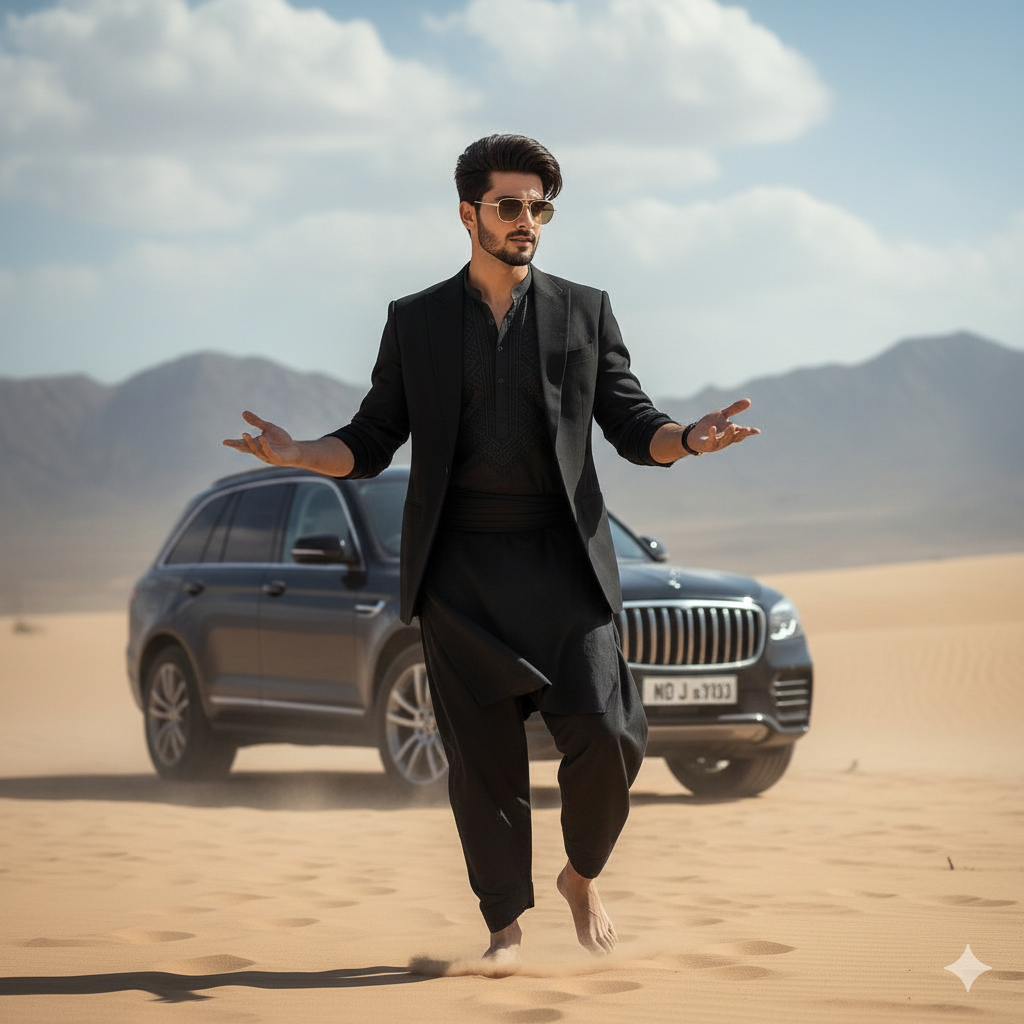
Akshaye Khanna Entry
“A charismatic, young man with dark,slicked-black hair and gold-rimmed aviator sunglasses. He is wearing a stylish black suit jacket over a black traditional tunic (shalwar kameez). He has a slightly smirking or confident expression and is gesturing outwards with both open palms in a ‘what can you do? pose. He is standing in a dusty, desolate desert or mountainous terrain. luxury SUV is parked behind him. The background is dusty with soft cloudy skies and muted beige tones. Cinematic lighting shallow depth of field realistic photography, 4K ultra-detailed moody Bollywood movie scene dramatic atmosphere professional color grading. Preserve Face 100% I want 100% same face as in the reference image no alteration.”
Prompt 2
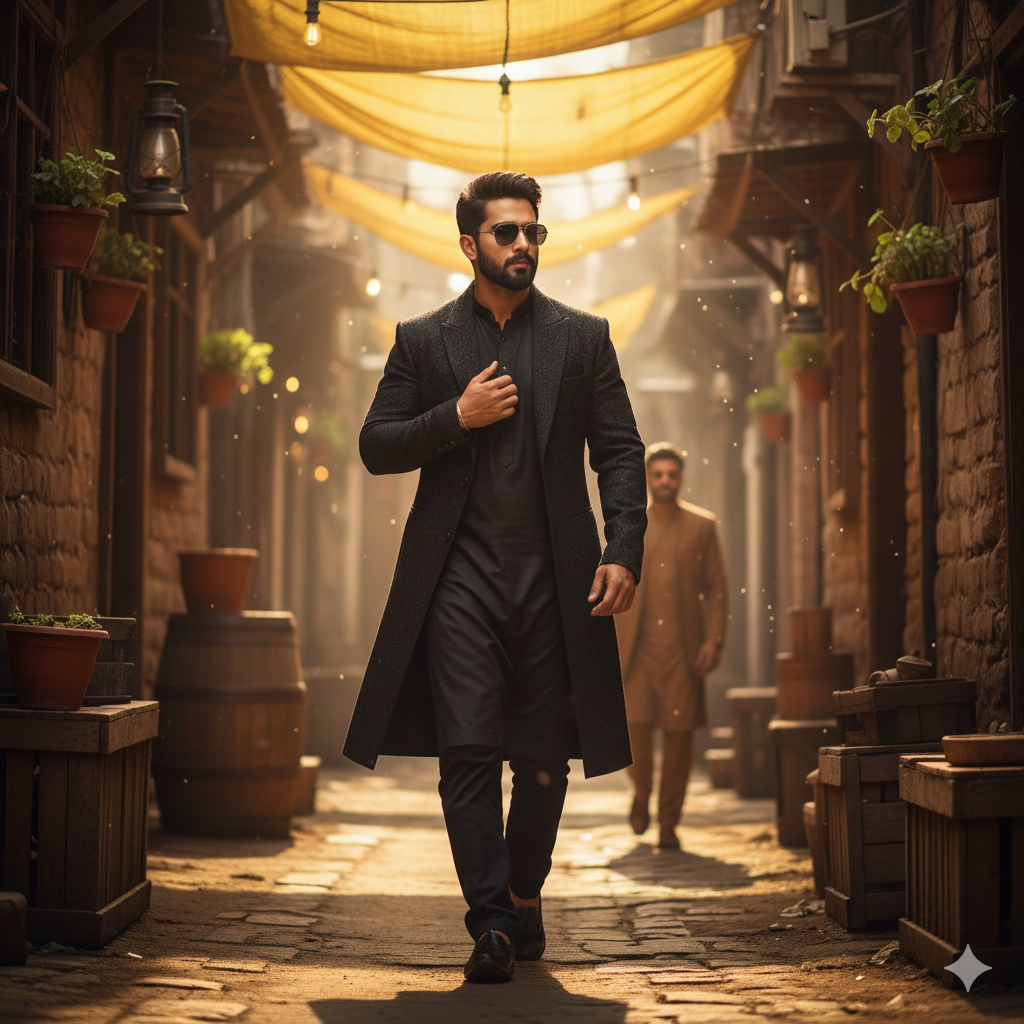
“Cinematic realistic shot of a stylish young man walking confidently through a narrow rustic alleyway with earthen walls. Black kurta pajama paired with a long black coat and black aviator sunglasses. Groomed beard and short dark hair. One hand is raised near his chest while walking. In the background, out-of-focus another man wearing a brown kurta sunglasses. Overhead, a yellow tarp filters warm golden sunlight creating a dramatic atmosphere. High definition 8k resolution. Don’t change face — keep exactly the same.”
Prompt 3
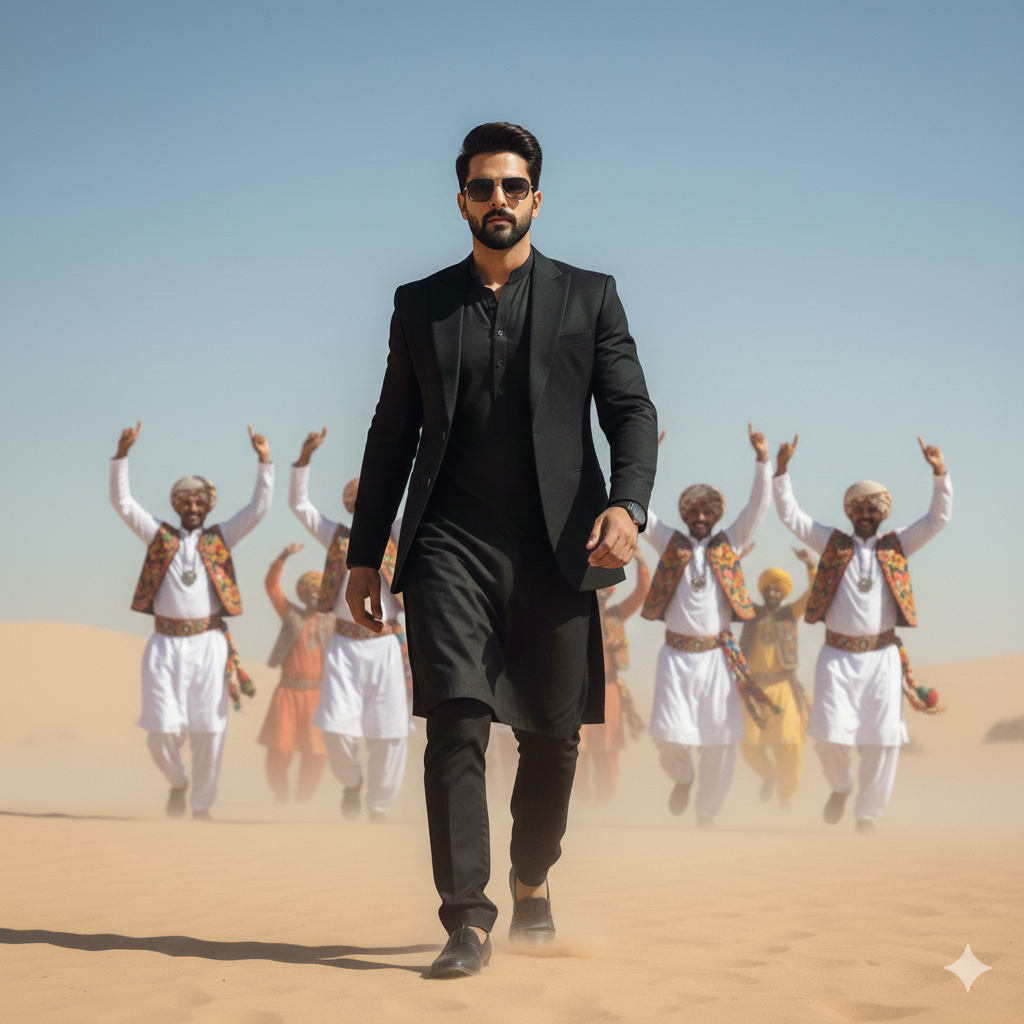
“A high-resolution cinematic full-body portrait of a stylish young man walking confidently forward in a desert landscape. Voluminous dark hair styled back, well-groomed beard, black rectangular sunglasses, sleek all-black outfit (tailored blazer over kurta and shalwar). A group of men in traditional arabic folk attire in the background dance joyfully with arms raised. Bright natural sunlight, clear blue sky, sharp main subject focus with background depth of field. Don’t change face — keep exact same.”
Prompt 4
“A cinematic full-body portrait of two men walking confidently side-by-side through a dusty open desert under bright sunlight. The left figure is older authoritative with a grey beard, black turban, sunglasses, long black coat, and textured scarf. The right figure is younger with styled dark hair, beard, sunglasses, black suit jacket over traditional shalwar kameez, arms slightly outstretched. Behind them, blurred bodyguards appear in dramatic dusty haze. Do not change the faces — keep them exactly the same.”
Prompt 5
“A cinematic, high-resolution full-body portrait of a stylish young man stepping out of a black rugged SUV in a desert landscape. He wears a sophisticated all-black ensemble: a traditional black kurta, black shalwar trousers, and a tailored black blazer. Voluminous hair swept back, well-groomed beard, gold-rimmed aviator sunglasses, mid-motion stepping down from the vehicle. Background: arid sandy terrain with hazy mountains under soft natural lighting. Photorealistic 8k quality. Do not change the face — keep 100% the same.”
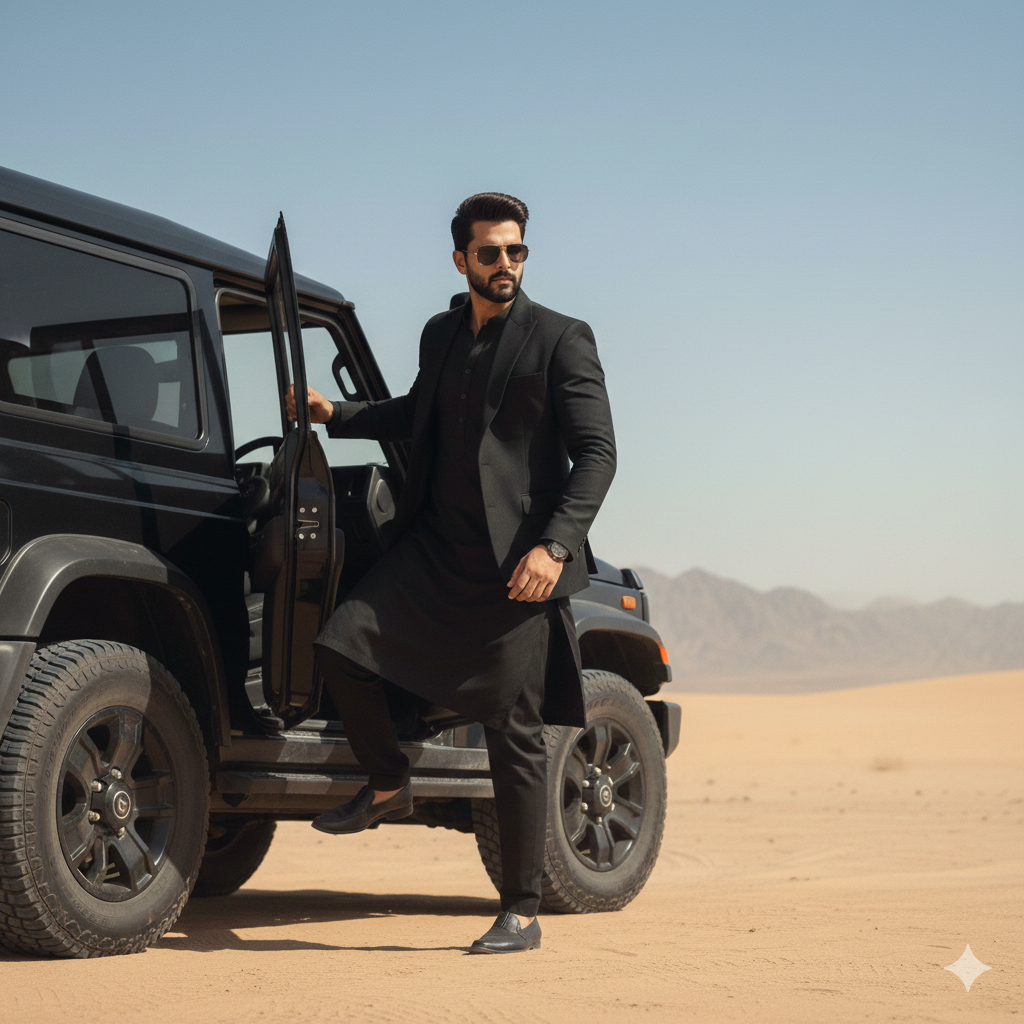
Prompt 6
“Full-body portrait of an 18-year-old handsome man with a slender body, standing confidently in a bright daytime desert (Rath ki midan), striking a natural dynamic pose. He wears a pure black traditional kurta with a waist-length formal black coat and a plain black muffler hanging loosely around the neck. Replace the face with MY FACE, 100% accurate lighting and skin detail. Add stylish black sunglasses. Surround him with Balochi men in traditional attire dancing energetically, keeping them slightly blurred for depth while maintaining focus on the main subject.”
Dhurandhar AI Photo Editing Prompts: Best Practices
Whether you’re new to AI portrait editing or looking to refine your aesthetic, here are important tips:
Focus on Lighting & Detail
Always include terms like “ultra-realistic,” “dramatic lighting,” and “high detail” to ensure Gemini emphasizes shadows, crisp skin textures, and lifelike lighting.
Maintain Face Accuracy
If you’re editing your own photo, phrases like “ensure 100% accuracy in lighting, shadows, angle, and realistic skin details” help preserve your identity and avoid distortions.
Use Negative Instructions
Adding lines like “no blur, no extra limbs, no text, no watermark” keeps the model focused on image clarity.
Cultural and Environmental Details
Prompts that mention contextual cultural elements (e.g., traditional attire, desert backdrops, dancers) produce visually richer portraits that tell a story rather than just look pretty.
Background and Depth
Use depth blur or slightly blurred dancers/background figures to keep the subject sharp and pull the visual focus.
Why Dhurandhar AI Portraits Are Trending in 2025
- Ultra-realism meets cinematic art: Dhurandhar portraits are perceived as fine art rather than simple filters.
- Culture plus technology: Embedding traditional elements into ultra-modern AI aesthetics resonates with diverse audiences.
- Versatile use cases: From Instagram DPs to posters, reels, and brand imagery, these prompts deliver professional visuals without expert editing skills.
Wrapping Up
The Dhurandhar AI Photo Editing Prompts above offer a powerful set of tools for crafting ultra-realistic, dramatic, and original AI portraits using Google Gemini in 2025. Whether you’re aiming for cultural depth, rugged cinematic flair, or expressive movement, these prompts are designed to produce striking results.
To master this trend, experiment with adjusting lighting, background, and character tone — and use high-quality reference images for the best portrait generation. With the right prompt and a creative vision, your AI edits can rise above ordinary filters and become visual statements in their own right.
Related Blog: Trending Prompts for Girls Realistic Portraits




What do you think?
It is nice to know your opinion. Leave a comment.