











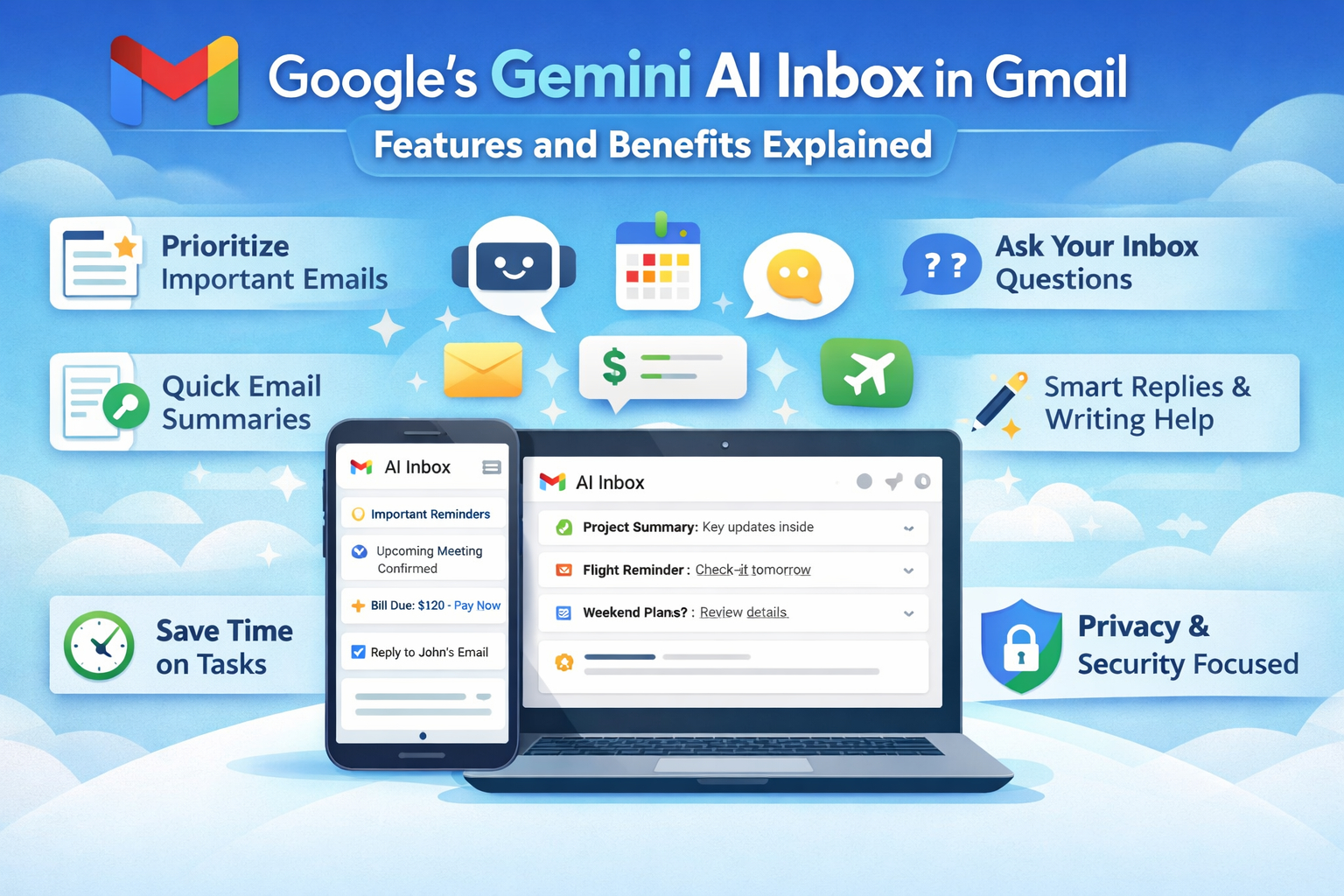



In a bold push to transform email productivity, Google has unveiled a major update to Gmail — one that embeds its most advanced AI, Gemini, deep into the user experience. The centerpiece of this evolution is the new AI Inbox, a Gemini-powered intelligent view designed to simplify how users manage, understand, and act on emails. This update is part of a broader suite of AI enhancements that aim to make Gmail more proactive, conversational, and helpful — all while tackling email overload in a fundamentally new way.
Gmail Enters the Gemini Era
Google calls this milestone the beginning of Gmail’s “Gemini era.” The company says the goal isn’t just to improve Gmail’s search or writing tools — it’s to fundamentally reimagine the inbox as a personal assistant that helps users stay organized and productive. Gmail’s adoption of Gemini AI models marks one of the most significant transformations in email since Gmail’s launch in 2004.
This shift reflects how email usage has exploded in volume and complexity. Today, billions of users navigate crowded inboxes with a mix of personal, professional, and transactional messages. With that in mind, Google’s AI enhancements go beyond simple automation — they bring contextual understanding, summarization, prioritization, and even natural-language Q&A directly into the Gmail workflow.
What Is the Gemini-Powered AI Inbox?
The AI Inbox is a reimagined view of your Gmail inbox that leverages Gemini AI to:
Highlight What Matters Most
Instead of presenting every email chronologically, AI Inbox surfaces messages that likely require action — such as upcoming bills, reminders, appointments, or important replies from frequent contacts. It’s like turning your inbox into a personal to-do list.
Summarize & Prioritize Automatically
AI Inbox uses signals like contact closeness and interaction patterns to decide what’s important. Messages that matter most bubble up to the top, while less crucial emails fall into the background — helping users focus on what truly needs attention.
Actionable Insights at a Glance
Tasks and suggestions — such as respond to this, pay this bill, or remind yourself about this meeting — are generated automatically. Each recommendation links directly to the relevant email so users don’t lose context.
Google is initially rolling out AI Inbox to a limited set of trusted testers. Wider availability across all Gmail users is expected later, with additional languages and regional support coming soon.
Smarter Email Search with AI Overviews
A major companion feature to AI Inbox is AI Overviews, powered by Gemini. This tool:
- Summarizes lengthy email threads: Instead of scrolling through dozens of replies, Gmail generates a concise summary of the key points.
- Answers natural-language questions: Users can ask Gmail questions like “Who quoted me for renovations last year?” and receive precise answers extracted from their inbox content.
- Reduces cognitive load: By transforming emails into digestible summaries, Gemini helps users quickly grasp meaning without manually piecing together context.
AI Overviews are rolling out for all users at no cost in basic form, though interactive Q&A features may remain exclusive to premium subscribers.
Enhanced Writing Tools: Help Me Write, Suggested Replies & Proofread
Google is also updating Gmail’s writing and response tools using Gemini:
Help Me Write
This AI drafting tool helps users compose emails from scratch or improve partially written content. Users provide a simple prompt, and the AI generates full message drafts tailored to tone, length, and intent. It works for everything from formal proposals to friendly replies.
Suggested Replies
Taking Smart Replies a step further, Gemini-powered suggestions are context-aware and more cohesive with ongoing threads. They generate reply options that match your personal style — keeping communication fluid and natural.
Proofread
Acting like a built-in editor, the Proofread tool offers grammar, clarity, and tone corrections. It’s similar to tools like Grammarly but deeply integrated into Gmail. This feature is especially helpful for business users or professionals who want polished, error-free emails.
Many of these tools are rolling out to all users for free, while advanced proofreading and writing features may be limited to paid Google AI plans.
Personalized Yet Private
Google emphasizes that these new AI features — including AI Inbox — are built with user privacy in mind. According to the company, Gmail content isn’t used to train Gemini models, and personal emails remain protected with secure isolation. Users can also disable AI tools if they prefer not to use them.
While privacy experts have raised questions about AI access to inbox data, Google maintains that AI processing happens locally and securely within Gmail, without feeding personal content back into its broader AI training pipelines.
Potential Benefits for Users
The integration of Gemini AI into Gmail — particularly via the new AI Inbox — could transform several core aspects of email usage:
Reduced Email Overload
People receive far more emails today than they can manage manually. With priority sorting and intelligent summaries, users spend less time sifting through noise.
Time Saved on Repetitive Tasks
Automated drafting and suggestions free users from composing every reply themselves. This yields notable time savings for professionals and casual users alike.
Clearer Context and Insights
AI Overviews help users understand long or complex email threads at a glance, reducing cognitive friction and boosting productivity.
Better Organization
By highlighting tasks like paying bills or responding before deadlines, Gmail becomes more than an email service — it becomes a proactive assistant.
How It Works: Behind the Scenes
The new Gmail experience is enabled by Gemini 3, Google’s most advanced AI model yet. Gemini’s capabilities include natural-language understanding, summarization, reasoning, and context extraction, making it well suited for interpreting diverse email content.
When processing email threads, Gemini scans message text, identifies key entities (like dates, contacts, obligations), and dynamically produces summaries, to-do lists, and recommendations that save users time. Each insight links back to the original email, ensuring transparency and context continuity.
Importantly, all processing is optimized to respect privacy and security. Google asserts that neither personal emails nor attachments are used to refine its large-scale AI models unless users explicitly opt in for personalized AI learning.
Rollout: When and Where You’ll Get the Gemini AI Inbox
Google isn’t launching the Gemini-powered AI Inbox all at once — it’s rolling out the new features gradually to ensure a smooth experience and to gather real-world feedback before a full launch. Here’s a clear look at how the rollout is unfolding:
Phase 1: U.S. Rollout Begins
The initial rollout of Gemini’s AI enhancements in Gmail — including AI Overviews, Help Me Write, Suggested Replies, Proofread tools, and the new AI Inbox — begins first in the United States. These features are enabled starting now for Gmail users, particularly for those on personal Gmail accounts or Google One AI Pro and Ultra plans.
Google says the rollout prioritizes English-speaking users first, with additional languages and regions to follow over the coming months.
Languages, Devices & Regions
While the rollout starts in the U.S. with English-language support, Google has confirmed that additional languages and regions will be added over time. This phased approach lets Google optimize performance across different locales and adapt the experience based on real-use data.
Users on Android, iOS, and the web should expect these AI tools to reach their accounts progressively. Some features may appear first on one platform and then expand to others, depending on testing cycles and feedback.
What to Expect Next
Once the initial phase stabilizes, the broader rollout will include:
- More regions outside the U.S. gaining access to AI Inbox and advanced tools.
- Expanded language support beyond English.
- Rollout for Google Workspace users (business and education accounts), potentially with different schedules depending on enterprise release policies.
According to Google, this phased rollout will continue over the coming months, aiming to bring the new Gmail experience to as many users as possible while refining performance and ensuring privacy protections are upheld.
What’s Rolling Out First
At launch, the initial features available include:
- AI Inbox (pilot rollout): Intelligent prioritization and task suggestions.
- AI Overviews: Conversation summaries for threads of all sizes.
- Help Me Write: Free drafting assistance.
- Suggested Replies: Context-aware response suggestions.
- Proofread: Grammar and tone checking (premium).
Features like natural-language Q&A within the inbox and more advanced summarization tools are part of premium or phased rollouts over the coming months.
What This Means for Gmail Users
Overall, Google’s Gemini-powered expansion into Gmail heralds a new era where email isn’t just static text — it’s interactive data that can answer questions, suggest actions, and help you manage your day. While still early in deployment, AI Inbox and its companion features signal a future where email becomes more intuitive and less burdensome.
For individual users and professionals alike, the benefits could be significant: better time management, clearer insights from email history, and a more streamlined communication workflow. Once widely available, these tools may redefine expectations for email platforms everywhere.
Conclusion
Google’s integration of Gemini-powered AI into Gmail, especially through the new AI Inbox, represents one of the most ambitious updates Gmail has seen in years. By blending AI understanding with everyday email tasks, Gmail isn’t just catching up with user needs — it’s redefining what email can be. Whether it’s summarizing long threads, highlighting priorities, drafting better responses, or answering natural-language questions, Gmail’s transformation offers a peek into the future of digital communication.
Stay tuned as Google expands these features globally and refines them based on real-world usage — where your inbox might finally become smarter than your to-do list.
FAQs
What is the AI Inbox in Gmail?
The AI Inbox is a new Gemini-powered view that uses AI to highlight important messages, suggest actionable items (like responding or paying a bill), and filter out less relevant emails — helping you focus on what matters most.
How does Gmail’s AI summarization work?
Gmail’s AI Overviews generate quick summaries of long email threads so you can grasp key points without reading every message, and some users can even ask natural-language questions about their inbox.
Who can use the new AI features?
Basic AI features like thread summaries and writing help are rolling out to most Gmail users, while advanced tools (e.g., inbox Q&A, proofreading, and some prioritization features) may require a Google AI Pro/Ultra subscription or Workspace plan.
Is my email data used to train Google’s AI?
Google says personal emails are not used to train its AI models, and AI processing is done securely with privacy protections — though some privacy experts urge caution and clear settings control.
Can I turn off the AI features in Gmail?
Yes — Gmail provides settings to disable AI-powered features if you don’t want them; turning them off may also affect other “smart” tools like event extraction from emails.
When will everyone get the AI Inbox?
Google is gradually rolling out the AI Inbox, starting with trusted testers and select users first, followed by wider availability over the coming months in more regions and languages.
Related Blog: How to Update Gmail Address Safely




What do you think?
It is nice to know your opinion. Leave a comment.